Encoding vs Encryption vs Hashing
Understand the difference between encoding, encryption, and hashing - and how to identify each in CTF challenges.
Encoding vs Encryption vs Hashing
Encoding, encryption, and hashing are three distinct methods for transforming data, each with fundamentally different purposes and reversibility.
Encoding represents data in another format for transmission/storage (Base64, Hex) reversible without a key.
Encryption protects data confidentiality using a secret key (AES, RSA) - reversible only with the key.
Hashing creates a fixed-size fingerprint (SHA-256, MD5) - one-way and irreversible, used to verify integrity.
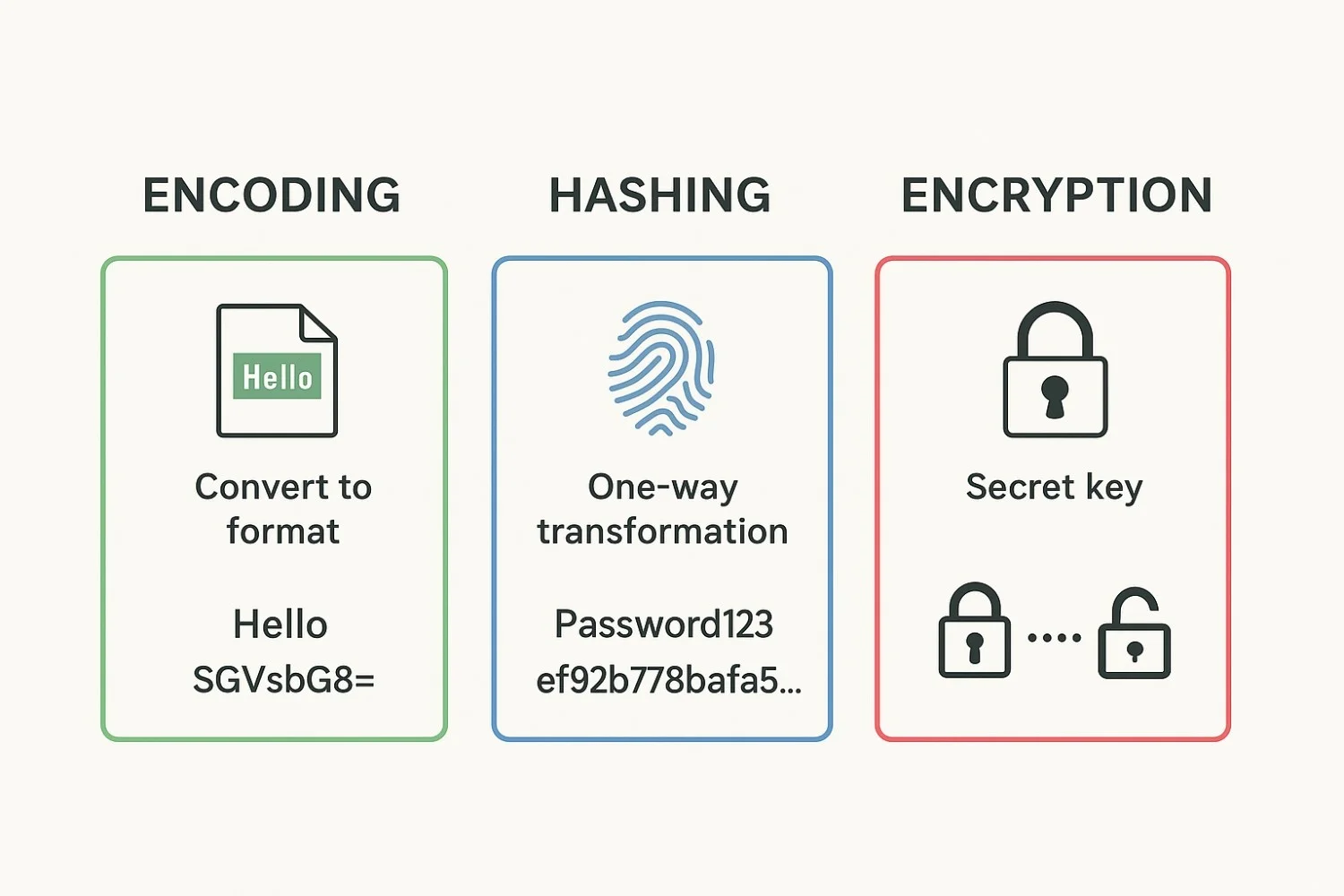 In CTF challenges, identifying which is used is critical: encoding = just decode it; encryption = find the key; hashing = brute-force the plaintext.
Quick Decision Matrix
When you see unknown data in a CTF, ask:
| Question | Answer → Type |
|---|---|
| Can I reverse it without a key? | Yes → Encoding |
| Do I need a secret key to reverse? | Yes → Encryption |
| Is it fixed-size & irreversible? | Yes → Hashing |
Visual Comparison
Encoding is not security. Base64 is trivially reversible by anyone. Never confuse encoding with encryption in a CTF or in real systems.
| Property | Encoding | Encryption | Hashing |
|---|---|---|---|
| Purpose | Represent data in another format | Protect data confidentiality | Verify data integrity |
| Reversible | Yes, always | Yes, with the key | No (one-way) |
| Key required | No | Yes | No |
| Examples | Base64, Hex, URL | AES, RSA, XOR | MD5, SHA-256, bcrypt |
| CTF goal | Just decode | Find/break the key | Crack via brute force |
Common Encodings
Input:  "Hello, World!"
Output: "SGVsbG8sIFdvcmxkIQ=="

# Characteristics:
# - Only uses A-Z, a-z, 0-9, +, /
# - Padded with = or == at the end
# - Length is always multiple of 4
# - Every 3 input bytes → 4 output characters
Decode:
echo "SGVsbG8=" | base64 -d
python3 -c "import base64; print(base64.b64decode('SGVsbG8='))"
Identifying Unknown Encodings
Multi-Layer Encoding (Common in CTF)
Flags are often encoded multiple times. Always check the output of each decode step - if it still looks like garbage, apply another decode layer.
flag{...}
→ base64 → "ZmxhZ3suLi59"
→ hex → "5a6d786859334d750a"
→ reverse → "a0.uMCYhYmZ"

# Approach: decode one layer at a time
# Use CyberChef with "Magic" to find the layers
Receive the unknown blob
Copy the output from the challenge. Note its character set, length, and any visible patterns (e.g., trailing ==, only hex digits).
Run the auto-identifier
Use the Python script above or paste into CyberChef Magic to identify the outermost encoding.
Decode the layer
Apply the identified decoder. Check if the output is readable or still encoded.
Repeat until readable
Keep decoding each layer until you reach the flag or readable plaintext.
Hash Identification
| Hash | Length | Characters | Example |
|---|---|---|---|
| MD5 | 32 hex | 0-9a-f | d41d8cd98f00b204... |
| SHA-1 | 40 hex | 0-9a-f | da39a3ee5e6b4b0d... |
| SHA-256 | 64 hex | 0-9a-f | e3b0c44298fc1c14... |
| SHA-512 | 128 hex | 0-9a-f | cf83e1357eefb8bd... |
| bcrypt | 60 chars | alphanumeric + $./ | $2y$10$... |
| MD5 crypt | ~34 chars | starts with $1$ | $1$salt$hash |
Last updated on