Web CTF Reconnaissance
Systematic reconnaissance methodology for CTF web challenges - what to check first and why.
Web CTF Reconnaissance
Web reconnaissance is the deliberate collection of visible and semi-visible information about a web application before exploitation. In CTFs, the goal is to identify the application stack, exposed files, routes, cookies, and debug clues so you can narrow the challenge to a likely vulnerability class.
Think of recon as the answer to a simple question: what does this site already reveal about itself, and where should you look next?
Core Tools
These are the main tools and interfaces you will use during web recon:
- Burp Suite: primary web proxy for intercepting, modifying, and replaying HTTP requests.
- Browser DevTools: inspect JavaScript, requests, storage, cookies, and rendered DOM behavior.
- Wireshark: packet-level visibility when protocol behavior or unusual traffic needs inspection.
- OWASP ZAP: alternative intercepting proxy and active/passive scanner for quick validation.
- Postman / Insomnia: API workflow testing and repeatable endpoint probing.
- Supporting CLI tools:
curl,whatweb,ffuf, andgobusterfor fast scripted recon.
Recommended Methodology
Formal definition: A methodology is an ordered process used to gather information efficiently and consistently. For beginner web recon, the order matters because each step makes the next one more specific.
Start broad, then narrow down:
- Check the page source and visible UI for obvious clues.
- Inspect JavaScript files and network requests for hidden endpoints.
- Review headers, cookies, and error messages for stack information.
- Look at
robots.txt,sitemap.xml, and other well-known files. - Fuzz for hidden directories and common backup files.
- Use the clues you found to infer the likely vulnerability category.
Before attempting any exploit, spend 5–10 minutes mapping the target web application. Good recon often reveals the vulnerability category immediately.

Recon Checklist
Use the checklist below as a practical version of the methodology above. Each item explains what the tool is checking and why it matters.
Page Source (Ctrl+U or Cmd+U)
What it is: The raw HTML returned by the server.
Why it matters: Page source often contains comments, hidden inputs, API references, or other clues that are not obvious in the rendered page.
- HTML comments: <!-- flag: ... --> or <!-- TODO: remove auth bypass -->
- Hidden form fields: <input type="hidden" name="role" value="user">
- Inline JavaScript with API endpoints or credentials
- References to JavaScript files: /js/admin.js, /js/config.js
- Base64 encoded data in comments or attributes
JavaScript Files
What it is: Client-side code that runs in the browser.
Why it matters: JavaScript often reveals API routes, feature flags, hardcoded secrets, and source maps that point to the original code.
// Open DevTools (F12) → Sources → browse JS files
// Look for:
// - API endpoints (/api/v1/admin, /internal/flag)
// - Hardcoded credentials ("admin", "password123")
// - Secret keys ("secret_key = 'ctf2024'")
// - Debug flags (if (debug) { return flag; })
// - AJAX calls to interesting endpoints
// - Source maps (.map files) → may expose minified source
# Download and search all JS files
curl -s http://target.com/ | grep -oE 'src="[^"]+\.js"' | \
sed 's/src="//;s/"//' | while read js; do
curl -s "http://target.com/$js" | grep -iE "(flag|key|pass|admin|secret)"
doneHTTP Headers
What it is: Metadata returned alongside the page response.
Why it matters: Headers can reveal the web server, framework, cookie behavior, redirects, and custom debug values.
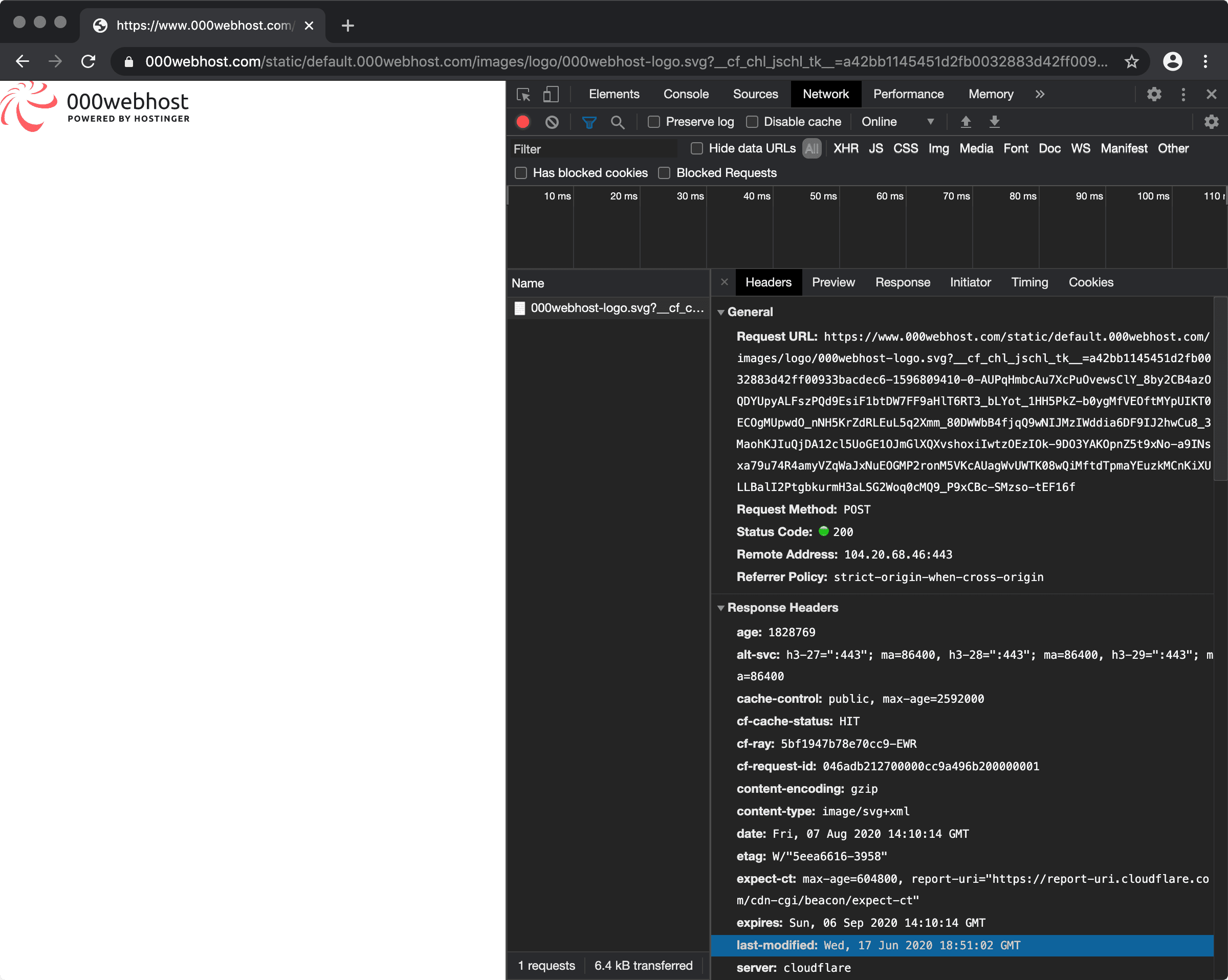
curl -I http://target.com/
# X-Powered-By: PHP/7.4
# Server: Apache/2.4.51
# Set-Cookie: session=... (check for flags in cookie values!)
# X-Frame-Options, X-XSS-Protection (tells you what they're worried about)
# Custom headers: X-CTF-Hint, X-Debug-Info

# All headers including redirects
curl -I -L http://target.com/
robots.txt
What it is: A plain-text file that suggests which paths crawlers should avoid.
Why it matters: CTF authors often place useful hints, admin paths, or sensitive filenames in robots.txt.
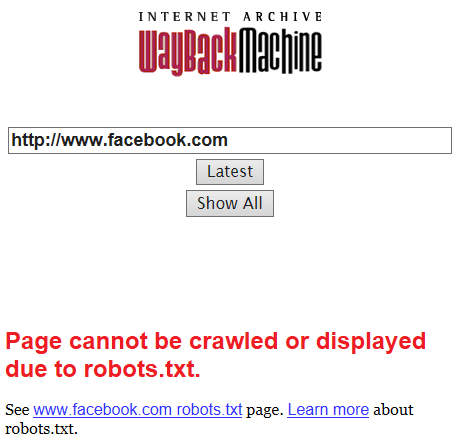
curl http://target.com/robots.txt
# Common finds:
# User-agent: *
# Disallow: /admin/
# Disallow: /flag.txt       ← !
# Disallow: /backup/
# Disallow: /.git/
Common Hidden Files
What it is: Files that are often present on misconfigured or intentionally leaky web servers.
Why it matters: These files may expose source control data, configuration values, backups, or API documentation.
curl http://target.com/.git/HEAD          # exposed git repo
curl http://target.com/.env               # environment variables
curl http://target.com/backup.zip         # backup archives
curl http://target.com/config.php.bak     # backup config
curl http://target.com/phpinfo.php        # PHP info
curl http://target.com/sitemap.xml        # site structure
curl http://target.com/api/swagger.json   # API documentation
curl http://target.com/api/docs           # API docs
Error Messages
What it is: Responses produced when you send malformed or unexpected input.
Why it matters: Errors often reveal the framework, database type, file paths, and sometimes the exact validation logic.
# Trigger errors intentionally
curl "http://target.com/page?id='"    # SQL error?
curl "http://target.com/page?id={{7*7}}"  # SSTI?
curl "http://target.com/page?id=%0a"  # Command injection?

# Error pages reveal:
# - Framework (Django, Flask, Express)
# - Version numbers
# - File paths (traceback)
# - Database type
Technology Detection
What it is: Identifying the framework, language, and server stack behind the site.
Why it matters: Once you know the stack, you can focus on the vulnerability classes that commonly appear in that ecosystem.
# whatweb CLI
whatweb http://target.com

# Manual indicators:
# X-Powered-By: Express → Node.js
# PHPSESSID cookie → PHP
# .aspx URLs → ASP.NET
# /wp-admin → WordPress
# Django CSRF token → Django/Python
# Traceback with "flask" → Flask/Python
Directory Fuzzing
# Basic fuzz
ffuf -u http://target.com/FUZZ -w /usr/share/seclists/Discovery/Web-Content/common.txt -fc 404

# With extensions
ffuf -u http://target.com/FUZZ -w common.txt -e .php,.html,.txt,.bak,.zip

# API paths
ffuf -u http://target.com/api/FUZZ -w api-endpoints.txt
API Endpoint Discovery
# Common API paths to try manually:
/api/v1/flag
/api/admin
/api/users
/graphql
/swagger.json
/openapi.json
/.well-known/
Cookie Analysis
Technology → Likely Vulnerabilities
| Tech indicator | Likely vulnerabilities |
|---|---|
X-Powered-By: PHP | LFI, RCE via file upload, unserialize |
.php URLs | LFI (?page=../../../etc/passwd) |
PHPSESSID cookie | Session fixation, session file RCE |
Serialized cookie (O:) | PHP object injection |
Checklist
- View page source → comments, hidden fields, JS references
- curl -I → HTTP headers, X-Powered-By, custom headers
- curl /robots.txt → disallowed paths
- curl /.git/HEAD → exposed git repository?
- curl /.env → environment variables?
- DevTools → Sources → browse all JS files
- Trigger errors intentionally → framework identification
- whatweb → technology fingerprinting
- Decode cookies → role manipulation opportunity?
- ffuf/gobuster → hidden directories
Last updated on